
Jul 17, 2026News Center
Optical Module TX Fault Explained: Causes, Troubleshooting, and Solutions
Learn what causes optical module TX faults, including transmitter failures, laser issues, compatibility problems, and fiber connection errors. Complete troubleshooting guide for SFP, SFP+, SFP28, QSFP
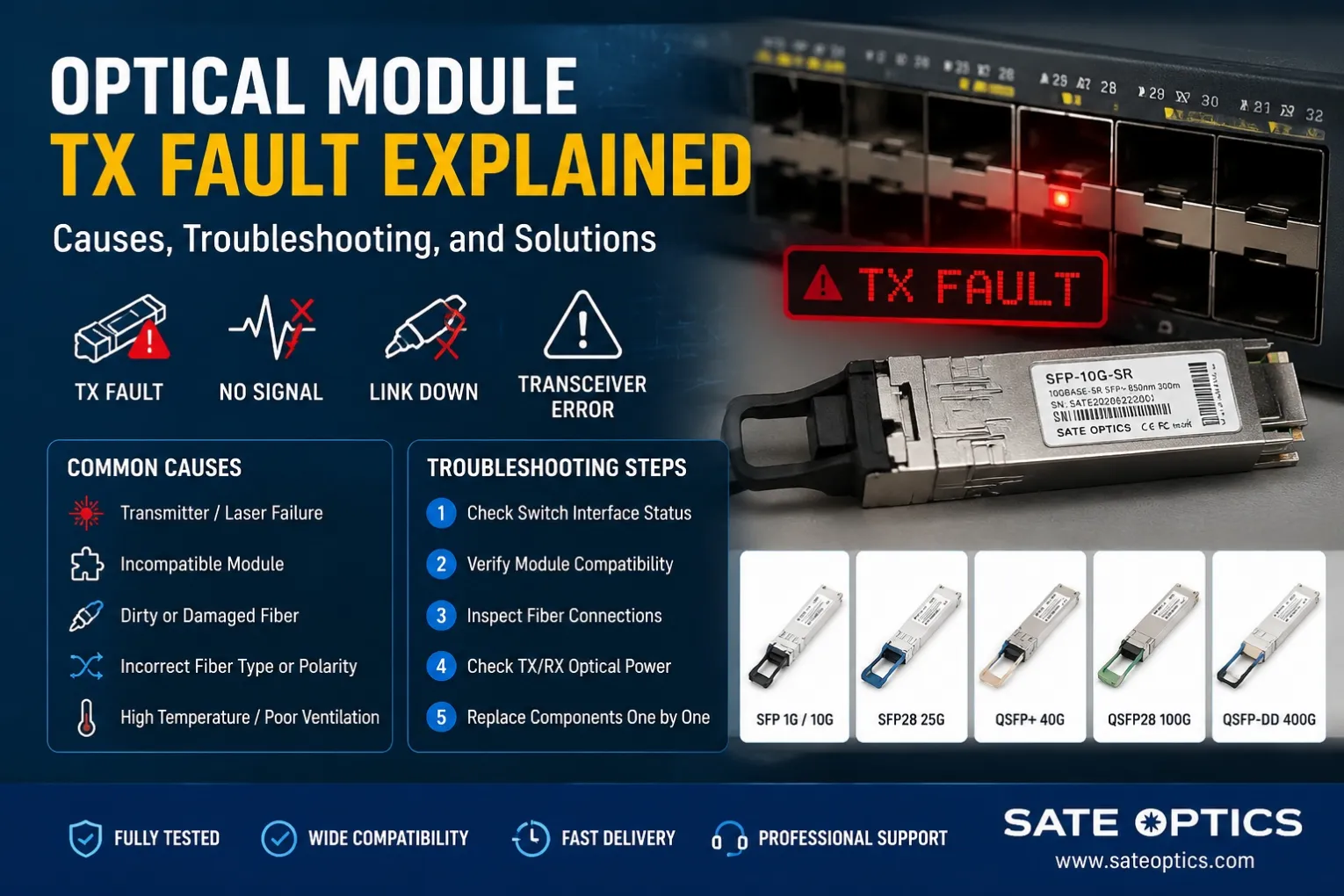
Optical Module TX Fault Explained: Causes, Troubleshooting, and Solutions
Optical transceivers are critical components in modern Ethernet networks, converting electrical signals into optical signals for high-speed fiber communication.
However, network engineers sometimes encounter alarms such as:
- TX Fault
- Transmitter Fault
- Laser Fault
- Optical Module Failure
- SFP TX Error
When a TX fault occurs, the optical module cannot properly transmit optical signals to the receiving device, causing link instability or complete link failure.
This issue can happen with different optical modules, including:
- SFP 1G modules
- SFP+ 10G modules
- SFP28 25G modules
- QSFP+ 40G modules
- QSFP28 100G modules
- QSFP-DD 400G modules
Understanding the causes behind TX faults helps network teams reduce downtime and quickly restore connectivity.
What Is an Optical Module TX Fault?
TX refers to the transmitter side of an optical transceiver.
Inside every optical module, the transmitter contains:
- Laser diode
- Driver circuit
- Optical components
- Monitoring sensors
- Control EEPROM
The transmitter converts electrical signals from the network switch into optical signals that travel through fiber cables.
A TX Fault means the transmitter cannot generate or send a valid optical signal.
Typical symptoms include:
- Switch port remains down
- No optical output power
- Link cannot establish
- Interface shows "Transmitter Fault"
- Remote device cannot receive signal
Example alarms:
Cisco switches may display:
Other platforms may show:
Common Causes of Optical Module TX Fault
1. Optical Module Hardware Failure
The most direct cause is a damaged transmitter component.
Possible failures include:
- Laser diode degradation
- Driver IC failure
- Internal circuit damage
- Excessive temperature exposure
For example:
A Cisco-compatible GLC-LH-SMD module may show TX fault if the internal laser driver cannot provide stable output power.
Similarly, high-speed modules such as:
- QSFP-100G-LR4-S
- QSFP-100G-SR4-S
- QSFP-40G-SR4
require precise optical control. Any transmitter instability can interrupt the link.
2. Incorrect Optical Module Compatibility
Compatibility problems are one of the most common reasons for TX faults.
Network switches often check:
- Vendor ID
- EEPROM information
- Coding information
- Digital diagnostics parameters
If the module information does not match switch requirements, the device may disable transmission.
Common examples:
- Unsupported SFP message on Cisco switches
- Third-party module rejected
- Incorrect firmware compatibility
- Wrong coding configuration
For example:
A Cisco switch may reject:
- SFP-10G-SR
- SFP-10G-LR
- SFP-25G-SR
if the module EEPROM is not correctly programmed for the platform.
Related troubleshooting:
How to Fix SFP Compatibility Issues
(Internal link suggestion)
3. Fiber Connection Problems
Although TX fault indicates a transmitter problem, fiber issues can sometimes trigger related alarms.
Common causes include:
- Dirty LC connectors
- Damaged fiber jumper
- Incorrect polarity
- Wrong fiber type
Examples:
Using a multimode module:
SFP-10G-SR
with:
- Single-mode fiber (SMF)
can cause link failure.
Using:
SFP-10G-LR
with:
- Multimode fiber (MMF)
may also create unstable optical performance.
Learn more:
SFP-10G-SR vs SFP-10G-LR: Which One Should You Choose?
(Internal link suggestion)
4. Poor Optical Power Performance
Optical modules have specific TX power requirements.
If TX optical power is too low:
- Receiver cannot detect signal
- Link drops frequently
- Errors increase
If TX power is too high:
- Receiver overload may occur
- Signal quality decreases
Engineers should check:
- TX Power
- RX Power
- Temperature
- Voltage
- Bias Current
Using DDM monitoring tools can help identify whether the transmitter is operating normally.
5. Temperature and Environmental Issues
Optical modules are sensitive to operating conditions.
High temperature can cause:
- Laser output reduction
- Increased error rate
- TX shutdown protection
Common environments affected:
- Data centers
- Telecom cabinets
- Outdoor FTTH deployments
For example:
400G modules such as:
- QSFP-DD-400G-DR4
- QSFP-DD-400G-FR4
- OSFP-800G-DR8
require strict thermal management because higher-speed optics generate more heat.
How to Troubleshoot Optical Module TX Fault Step by Step
Step 1: Check Switch Interface Status
Verify:
- Port status
- Error messages
- Module recognition
Cisco command example:
Check:
- Module information
- TX power
- RX power
- Temperature
Step 2: Check Optical Module Compatibility
Confirm:
- Switch model
- Module part number
- Firmware compatibility
- Vendor coding
Example:
Cisco-compatible modules should be correctly coded for:
- Cisco Catalyst switches
- Cisco Nexus switches
- Cisco enterprise routers
Step 3: Inspect Fiber Cabling
Check:
✅ Connector cleanliness
✅ Fiber type
✅ Polarity
✅ Fiber distance
Common matching:
Module | Fiber Type | Distance |
|---|---|---|
GLC-SX-MMD | MMF | 550m |
GLC-LH-SMD | SMF | 10km |
SFP-10G-SR | MMF | 300m |
SFP-10G-LR | SMF | 10km |
QSFP-100G-LR4-S | SMF | 10km |
Step 4: Replace Components One by One
Test with:
- New fiber jumper
- New optical module
- Different switch port
- Loopback test
This helps identify whether the problem comes from:
- Module
- Fiber
- Switch port
Optical Module TX Fault in Different Applications
Enterprise Networks
Common modules:
- Cisco GLC-SX-MMD
- Cisco GLC-LH-SMD
- SFP-10G-SR
- SFP-10G-LR
Typical problems:
- Unsupported modules
- Dirty fiber
- Aging optics
Data Centers
Common modules:
- SFP28-25G-SR
- QSFP-100G-SR4
- QSFP-100G-DR
- QSFP-DD-400G
Typical problems:
- Thermal issues
- High-density deployment
- Fiber polarity mistakes
Telecom Networks
Common modules:
- 10G LR
- 25G LR
- 100G LR4
- 100G ER
Typical problems:
- Long-distance attenuation
- Optical budget issues
- Environmental temperature
How to Prevent Optical Module TX Faults
Best practices:
✅ Purchase compatible modules from reliable suppliers
✅ Verify module coding before deployment
✅ Clean fiber connectors before installation
✅ Monitor DDM parameters regularly
✅ Keep network equipment within temperature limits
✅ Use correct fiber types for each module
A professional optical supplier should provide:
- Compatibility testing
- Optical performance testing
- DDM verification
- Warranty support
FAQ: Optical Module TX Fault
1. What does TX fault mean on an optical module?
TX fault means the transmitter side of the optical module cannot properly generate or send optical signals.
Possible causes include hardware failure, compatibility problems, fiber issues, or temperature problems.
2. How do I fix SFP TX fault?
Common solutions include:
- Checking module compatibility
- Cleaning fiber connectors
- Replacing fiber cables
- Testing with another optical module
- Checking switch firmware support
3. Can a fiber cable cause TX fault?
Yes. Although TX fault relates to the transmitter, incorrect fiber type, dirty connectors, or damaged cables can prevent successful optical communication.
4. Why does Cisco show transceiver TX fault?
Cisco switches may show TX fault because of:
- Unsupported transceiver
- Incorrect EEPROM coding
- Failed optical module
- Port configuration issue
5. How can I check optical module TX power?
Use switch commands or network monitoring tools to check DDM information, including:
- TX power
- RX power
- Temperature
- Voltage
6. Does replacing the SFP module fix TX fault?
If the fault is caused by a damaged transmitter, replacing the SFP module usually resolves the issue. However, compatibility and fiber problems should also be checked.
Related Articles
(Internal Linking – 5 Different Articles)
1. How to Choose Optical Transceiver: A Practical Guide for Data Centers and Networks
Choosing the right optical transceiver requires understanding transmission distance, fiber type, data rate, and network requirements. This guide helps engineers select suitable SFP, SFP+, QSFP, and high-speed optical modules for different applications.
2. How to Troubleshoot Optical Modules | Complete Guide for Stable Network Links
Optical module failures can come from compatibility issues, fiber problems, optical power abnormalities, or hardware faults. This troubleshooting guide provides practical steps to diagnose and resolve common transceiver problems.
3. How to Fix SFP Compatibility Issues: Causes, Troubleshooting & Solutions
Compatibility problems are one of the most common reasons for SFP link failures. Learn how to identify unsupported transceivers, EEPROM issues, firmware restrictions, and solutions for Cisco and other network platforms.
4. Are Compatible SFP Modules Safe?
Many enterprises use compatible optical modules as cost-effective alternatives to OEM optics. This article explains testing standards, compatibility verification, reliability, and what buyers should consider before deployment.
5. Why Cisco Switch Does Not Recognize SFP Module?
Cisco switches may reject optical modules because of coding, firmware, or compatibility issues. This guide explains common causes and how to solve unsupported transceiver problems in Cisco environments.
Need Reliable Optical Modules for Your Network?
Sate Optics provides high-quality compatible optical transceivers for:
- Cisco
- Juniper
- Huawei
- Arista
- Dell
- HPE
- Nokia
- ZTE
All modules are:
✅ Fully tested before shipment
✅ Compatible with major networking platforms
✅ Available for 1G / 10G / 25G / 40G / 100G / 400G networks
✅ Supported with professional technical assistance
Whether you are troubleshooting a TX fault, upgrading your data center, or replacing expensive OEM optics, our engineering team can help you find the right solution.
Contact Sate Optics today for optical module compatibility testing and technical support.